
Local Service Owners: 24/7 Appointment Booking Script That Works
Practical appointment booking script for local service owners. Ready to use templates, escalation triggers, webhooks, and a 24/7 testing plan.

How many customers are slipping away before you can answer?
Answer 4 quick questions and get a simple missed-call estimate for your business.
Answer with one tap. Contact details come after your result.
Here is the estimate.
Thanks. Your result was received.
An appointment booking script is the scripted flow your AI receptionist follows to greet a caller, collect the right details, and write a confirmed appointment straight into your calendar or CRM. Get it right, and every call that comes in after hours or during a rush gets turned into a booked slot with an automatic SMS or email confirmation. Some providers build this exact logic into their platforms so you don't have to write it from scratch.
TL;DR:
- The script should limit the AI's scope to booking, rescheduling, canceling, and basic questions, routing complex issues immediately to a human agent.
- Structuring the flow to first gather preferences, then narrow down options, and finally confirm the appointment reduces errors and improves efficiency.
- Explicitly defined triggers like customer complaints, distress, or repeated misunderstandings ensure reliable transfer to a human, with contextual information provided.
- Proper webhook integration, timezone handling, immediate confirmation messages, and duplicate checks are essential for accurate, seamless appointment scheduling.
- Testing the script thoroughly in a sandbox environment and monitoring key metrics during rollout helps optimize performance and prevent errors.
Table of Contents
- What to Script: Greetings, Intents, and Boundaries
- How Do You Structure the Booking Flow?
- What Triggers a Transfer to a Human?
- Connecting the Script to Your Calendar and Messaging
- How Do You Test and Roll Out the Script Safely?
- Script Templates You Can Adapt
- Where Most Owners Get the Priorities Wrong
- How Ringport Puts This Script to Work for You
- Sources
- FAQ
What to Script: Greetings, Intents, and Boundaries
Before you touch the booking flow, you need to define what your AI is allowed to talk about and what it should hand off immediately. A strong opening greeting names the business, identifies the AI, and offers two or three routing options right away, which cuts down on caller confusion and hang-ups, according to CloudTalk's script guide. Something like: "Thanks for calling Riverside Plumbing, this is our booking assistant. Are you calling to schedule service, check an existing appointment, or speak with someone on our team?"
From there, scope matters more than most owners expect. Your script should cover:
- Approved topics only: scheduling, rescheduling, canceling, basic service questions, and hours.
- Hard boundaries: pricing negotiations, complaints, warranty disputes, and anything emotional get routed to a human.
- Intent-detection phrasing: prompts like "Would you like to book a new appointment or check one you already have?" steer the caller toward a clear path instead of an open-ended conversation.
Keeping the prompt narrow isn't a limitation, it's what makes the AI reliable. A focused system prompt of roughly 150 words tends to outperform a bloated 600-word one, because the AI has fewer places to guess wrong, per analysis from Shulex VOC's prompting guide. Every extra topic you add is another way the flow can break.
How Do You Structure the Booking Flow?
The booking flow is where most scripts fail, usually because they ask too many questions in the wrong order. The sequence that works best asks preference first, then narrows down, then confirms before anything gets written to your calendar.
- Collect the basics. Get the caller's name, phone number, and the service they need. If your business serves multiple locations, ask which one applies.
- Ask preference before specifics. Start broad: "Would mornings or afternoons work better for you?" This narrows the search before you ever mention a specific day, which speeds up the call and reduces the caller's mental load, a pattern confirmed in CloudTalk's booking flow research.
- Narrow to a day, then a time. Once you know morning or afternoon, offer two or three real open slots pulled from the calendar rather than asking "when works for you" and hoping.
- Confirm out loud. Repeat the name, service, date, and time back to the caller and wait for an explicit "yes" before anything gets booked.
- Fire the webhook. Once confirmed, the script sends a structured payload to your calendar or middleware.
That payload should include the caller's name, phone number, service type, appointment datetime in ISO format, a source tag like source=ai_receptionist, and any notes the caller mentioned. Waiting for an explicit confirmation before the webhook fires prevents accidental double-bookings from a misheard "maybe" turning into a locked slot.
What Triggers a Transfer to a Human?
Escalation rules work best as a fixed list of triggers, not a judgment call the AI has to make on the fly. That predictability is what keeps the system auditable, a point Shulex VOC's prompting research makes clear: vague "use your best judgment" instructions produce inconsistent transfers, while explicit trigger lists don't.
Build your triggers around these conditions:
- The caller directly asks for a person.
- The caller mentions a complaint, a refund, or a billing dispute.
- The caller sounds distressed or describes an emergency.
- The AI fails to understand the caller twice in a row.
When any of these fire, the handoff needs context, not just a transferred call. Pass the agent a short summary line: caller name, stated intent, and whatever details were already collected. If no one's available, the script should ask permission to take a message or schedule a callback rather than leaving the caller stuck on hold.
Pro Tip: Log a short verbatim snippet of the last exchange before the transfer, not just a summary. A human agent who can read the caller's actual words resolves the issue faster than one working from a paraphrase.
Connecting the Script to Your Calendar and Messaging
The script itself is only half the job. The other half is what happens the instant a caller says "yes" to a time slot, and that comes down to a few integration pieces working together.
- Webhook payload delivery: the confirmed booking data needs to POST to your calendar system or a middleware layer that creates the event, using sample webhook patterns like those DataLatte outlines.
- Calendar and timezone handling: your target calendar needs to respect the business's timezone and locale so a caller in a different area code doesn't get booked into the wrong hour.
- Instant confirmations: an SMS or email should go out the moment the webhook succeeds, repeating the date, time, and service so the caller has something to reference. Ringport's guide on appointment confirmation texts covers what that message should say.
- Duplicate detection: the system should check for an existing booking at that slot before writing a new one, which is the single biggest defense against accidental double-bookings.
For businesses running on Google Calendar specifically, mapping the webhook fields correctly matters more than people expect. Ringport's Google Calendar booking guide walks through that field mapping in more detail.
How Do You Test and Roll Out the Script Safely?
Never flip a booking script live without running it through a sandbox first. The testing process that catches problems before real customers do covers both the happy path and the messy one.
- Run the core flows end to end. Create a booking, confirm it, trigger a transfer, and cancel an existing appointment, all in a test environment.
- Throw edge cases at it. Interrupt the AI mid-sentence, use a strong accent, give a malformed date, or try booking the same slot twice at once.
- Check delivery, not just logic. Confirm the SMS or email actually arrives and the webhook logs show a successful write to the calendar.
- Monitor for the first 30 days. Review call recordings and webhook logs weekly, since this early window is where prompt refinements matter most, according to DataLatte's setup guide.
Track three numbers throughout: booking success rate, transfer rate, and failed webhook events. If transfer rate climbs, your intent detection needs tightening. If failed webhooks climb, that's an integration problem, not a script problem.
Script Templates You Can Adapt
These fragments are meant to be edited, not copied word for word. Swap in your business name, services, and calendar variables.
- Greeting: "Hi, you've reached [Business Name], this is the virtual assistant. I can help you book, reschedule, or check an appointment. Which would you like to do?"
- Booking micro-script: "Would mornings or afternoons work better?" then "I have [Day] at [Time] or [Time] open, which works?" then "Just to confirm, that's [Service] on [Day] at [Time] for [Caller Name], is that correct?"
- Reschedule/cancel: "I found your appointment for [Service] on [Day] at [Time]. Would you like to move it or cancel it?" followed by the same confirmation loop as a new booking.
- Transfer line: "Let me connect you with someone who can help with that right away."
Personalization tokens like caller name and appointment variables make these feel less robotic without adding complexity to the underlying flow.
Where Most Owners Get the Priorities Wrong
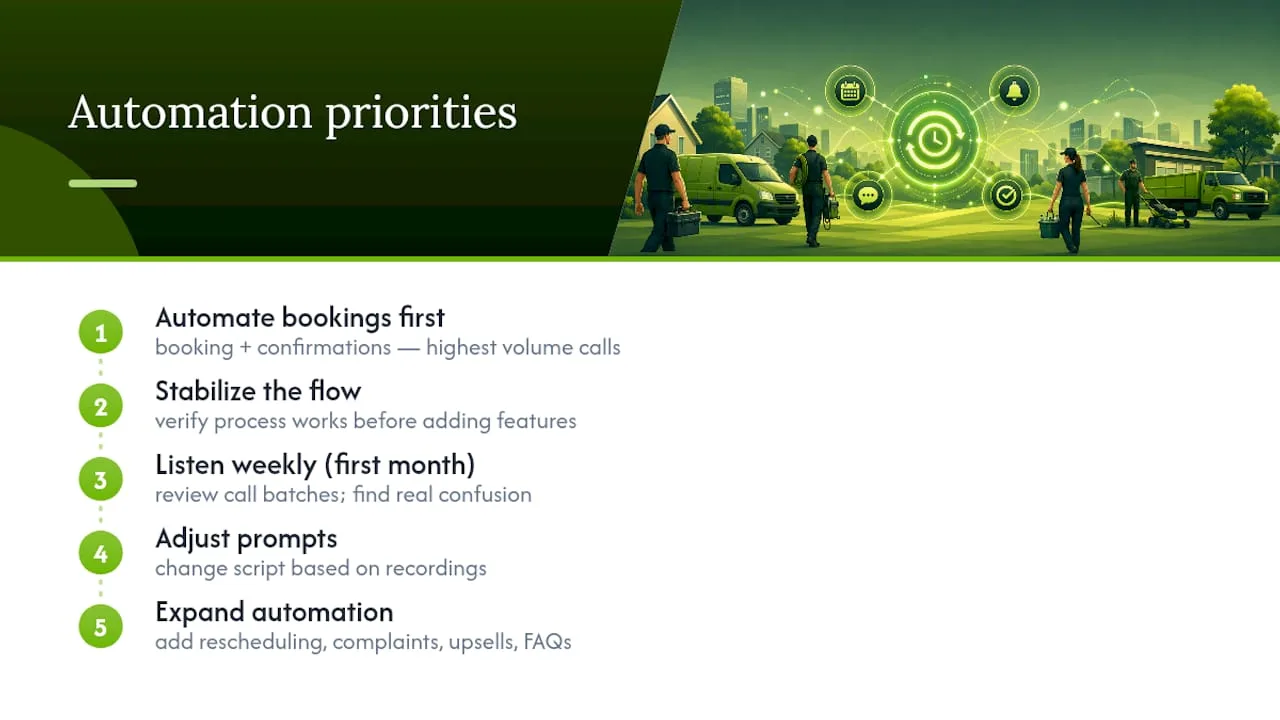
Most businesses try to automate everything at once: booking, rescheduling, complaints, upsells, and general FAQs, all in the first version of the script. That's backwards. Automating booking and confirmation first gets you the fastest return, because it's the highest-volume, most repetitive call type you handle, and only after that flow is stable should you expand into anything more complex.
The habit that separates a script that improves over time from one that stagnates is simple: listen to a batch of call recordings every week for the first month and adjust the prompt based on where callers actually got confused, not where you assumed they would.
— Serhii
How Ringport Puts This Script to Work for You
If you run a local service business, you don't have to write this entire flow, wire up the webhook, and test every edge case yourself. Ringport is built specifically to run scripts like this one for local service businesses that rely on the phone to book work.
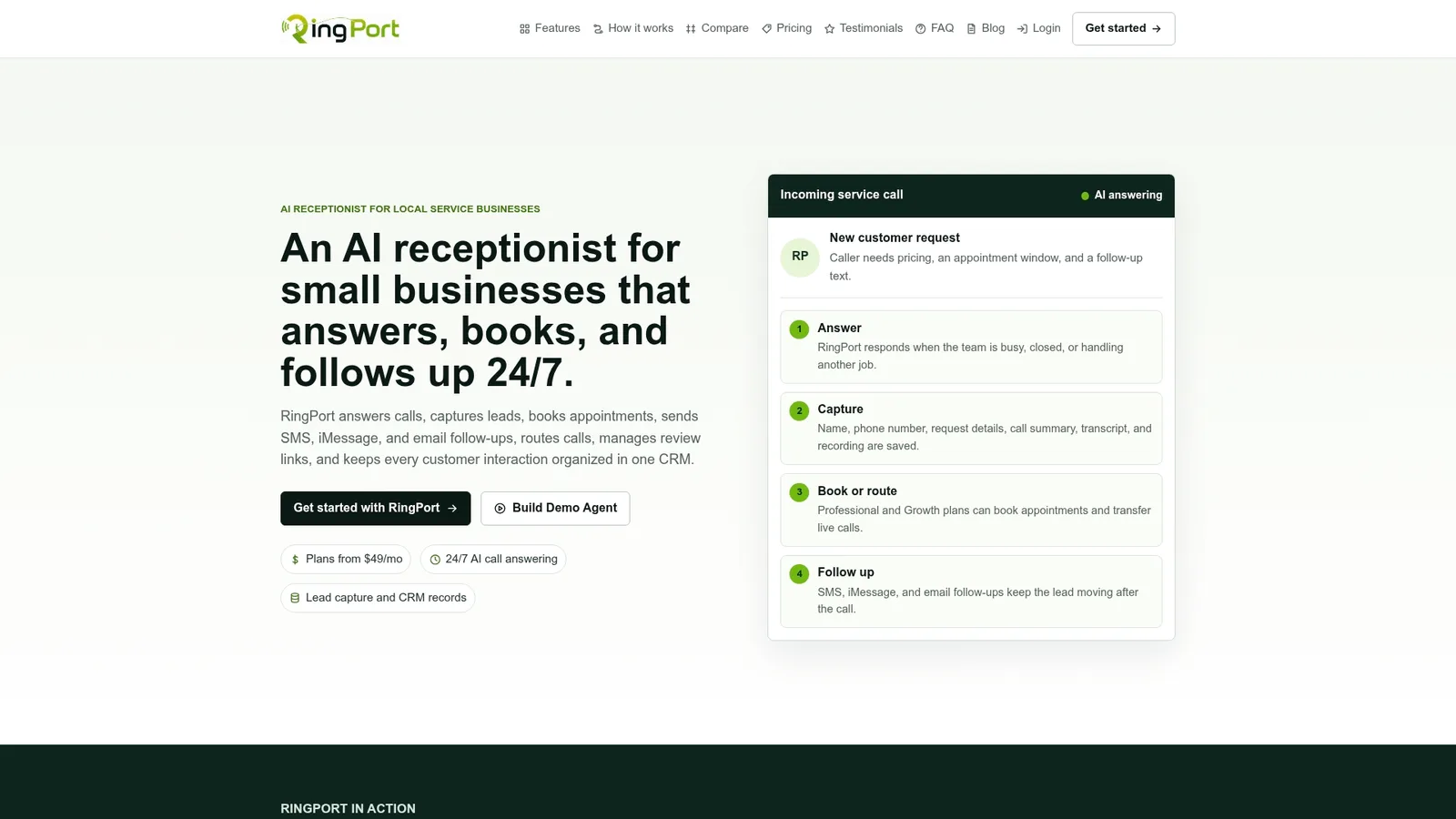
It answers calls 24/7, follows the greeting and booking logic outlined above, and writes confirmed appointments straight into your calendar through its own integrations, with SMS confirmations going out automatically the moment a slot locks in. Smart call routing handles the escalation triggers, sending complaints, emergencies, and confused callers to a real person instead of leaving them stuck with a bot. For businesses tired of missed calls turning into lost jobs, that means every call after hours or during a rush still has a shot at becoming a booked appointment instead of a voicemail nobody returns.
If you want to see the booking flow running before committing to anything, Ringport's Fast Agent sets up a working version fast. Plans start with the Starter tier at $49 per month, with Professional and Growth tiers available as call volume grows, all listed on the Ringport pricing page.
Sources
- AI Receptionist for Small Business: Complete Setup... | DataLatte
- How to Write the Perfect AI Receptionist Script in 2026 (With Examples)
FAQ
What Is an Appointment Booking Script?
It's the structured conversation flow an AI receptionist follows to answer a call, collect booking details like name, service, and preferred time, and write a confirmed appointment into your calendar or CRM. The goal is a completed booking with an automatic confirmation sent by SMS or email.
How Do I Reduce No-Shows With a Booking Script?
Send an immediate confirmation the moment the appointment is booked, then follow up with a reminder closer to the appointment date. Ringport's guide on appointment reminder texts covers timing and message content that cuts down on missed visits.
What Should Trigger a Transfer to a Human Agent?
A caller directly asking for a person, mentioning a complaint or refund, sounding distressed, or the AI failing to understand them twice should all trigger an immediate handoff. Building these as fixed trigger lists rather than open-ended judgment calls keeps behavior predictable and auditable, per Shulex VOC's prompting research.
Can an AI Receptionist Handle Rescheduling and Cancellations?
Yes, a well-built script uses the same confirmation loop for rescheduling and canceling that it uses for new bookings: find the existing appointment, confirm the change out loud, then update the calendar. This keeps the same webhook logic working for every type of change instead of requiring separate systems.
How Much Does Ringport Cost?
Ringport offers a Starter plan at $49 per month, a Professional plan at $149 per month, and a Growth plan at $299 per month, all listed on Ringport's site. A pay-as-you-go option for extra call minutes and messaging is also available, with pricing provided on request.